
Guide
How to Set Your Server Timezone
2026-04-091 min readBy Reminder Pro Team
In order to create reminders, you need to set server timezone first. This guide will show you how to configure the timezone for your Discord server using slash commands and dashboard settings.
1. Using Slash Command to Set Timezone
Use /settings timezone set <timezone> to quickly set your server timezone.
For Example: /settings timezone set timezone: [America/New_York] -> This sets the server timezone to Eastern Time (ET).
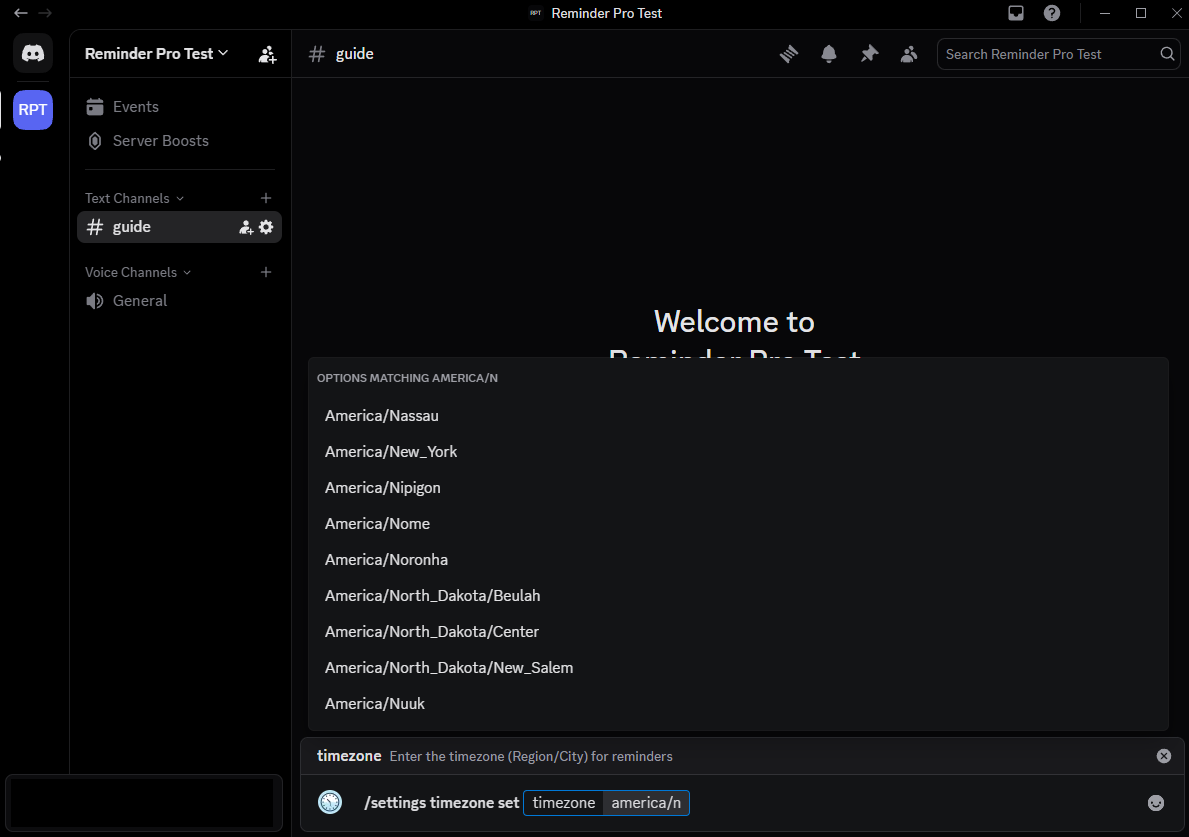
- Set Timezone:
/settings timezone set<timezone> - View Timezone:
/settings timezone view - You can use any valid IANA timezone, for example
Europe/LondonorAsia/Dhaka
2. Using web Dashboard to Set Timezone
If you prefer a visual interface, you can also set your server timezone through the web dashboard. Follow the below steps to configure your timezone.
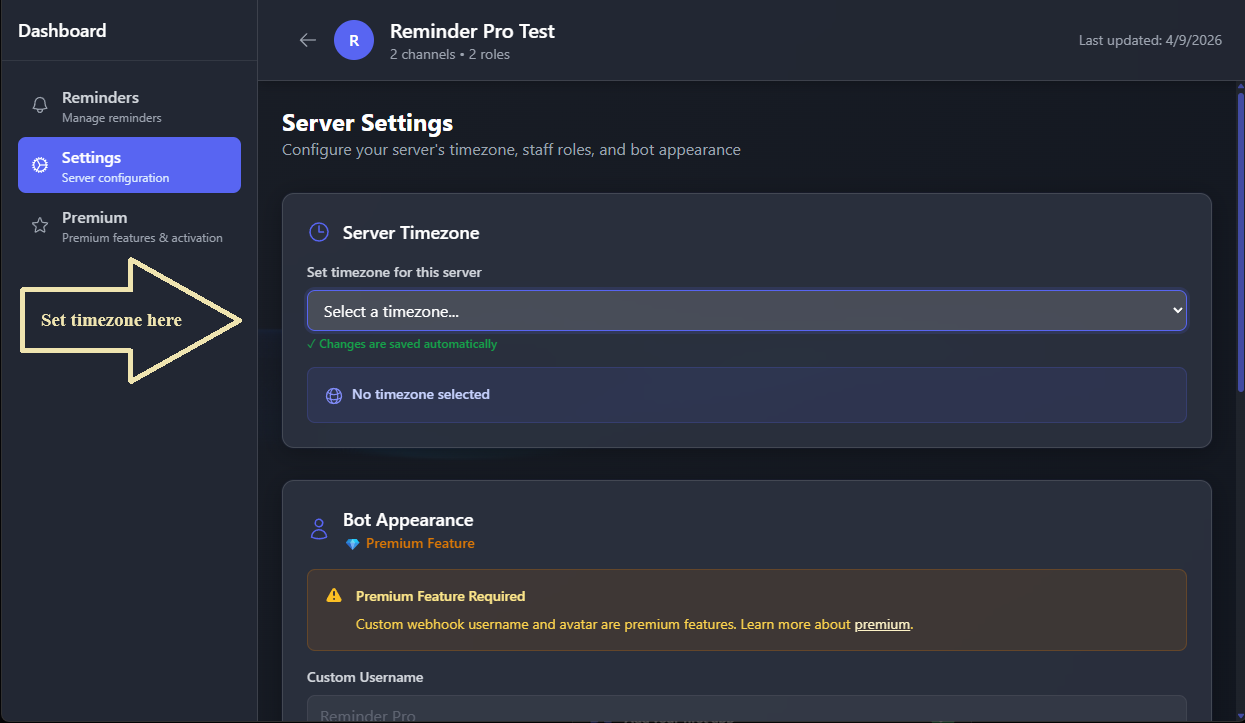
- Go to the web dashboard and log in with your Discord account.
- Select your server from the list of servers you manage.
- Navigate to the settings page and find the timezone configuration section.
- Choose your server's timezone from the dropdown menu.
- Changes are saved automatically.