
Recurring Reminders
Make Discord reminders repeat daily, weekly, monthly, yearly or on a custom interval with Reminder Pro. Includes limits, ready to copy examples and how missed runs are handled.
On this page
One-time vs recurring
A one-time reminder sends once and is then removed. A recurring reminder sends, schedules its next run and keeps going until you pause it, delete it or it reaches its expiration.
To make a reminder recurring, set repeat_interval in /reminder add, choose a Repeat option on the dashboard, or add one later with Edit Interval.
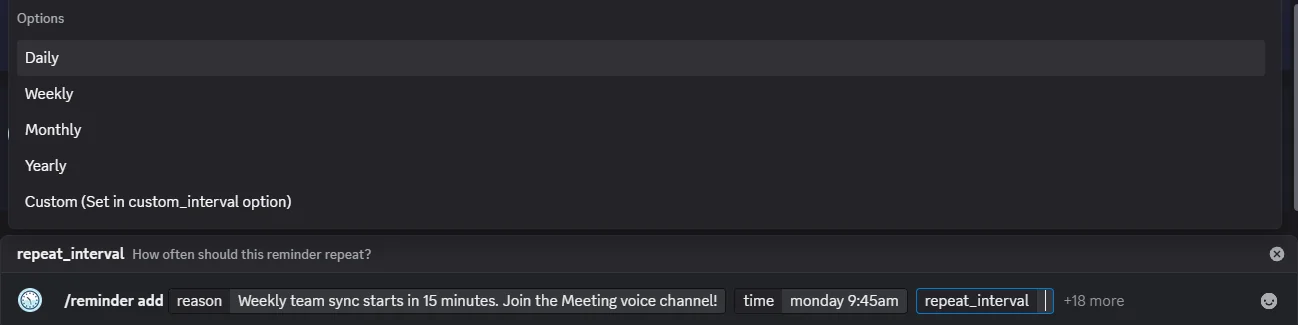
/reminder add.Repeat options
| Option | Behavior | Plan |
|---|---|---|
| Daily | Every 24 hours | Free |
| Weekly | Every 7 days | Free |
| Monthly | Same day of the month at the same local time | Premium |
| Yearly | Same date at the same local time | Premium |
| Custom | The duration in custom_interval | Free: 24 hours to 7 days. Premium: 30 minutes and up |
Ready to copy examples
| Goal | time | Repeat settings |
|---|---|---|
| Every day at 9 AM | 9am | Daily |
| Every weekday, no weekends | 9am | Daily, skip_day Saturday, skip_day2 Sunday |
| Every Friday at 8 PM | friday 8pm | Weekly |
| Every 3 days | 10am | Custom, 3d |
| Every 12 hours (Premium) | 8am | Custom, 12h |
| Every 2 hours (Premium) | 2h | Custom, 2h |
| Every two weeks (Premium) | monday 6pm | Custom, 14d |
| The 1st of every month (Premium) | 11/01 10am | Monthly |
| Once a year (Premium) | 4 May 2027 12:00 | Yearly |
Weekly meeting
/reminder add reason: Weekly team sync in 15 minutes time: monday 9:45am repeat_interval: Weekly ping: @Team
Monthly reminders at the end of the month
If the day does not exist in a month, the reminder runs on that month's last day and returns to the original day afterwards. A reminder on the 31st runs on February 28 (or 29), then March 31. Yearly reminders on February 29 run on February 28 in normal years.
Missed runs
If a run could not be delivered on time, Reminder Pro sends at most one catch-up message and then continues on schedule. Resuming a paused reminder also jumps to the next upcoming run. Your channel is never flooded with old reminders.
See upcoming runs on a calendar
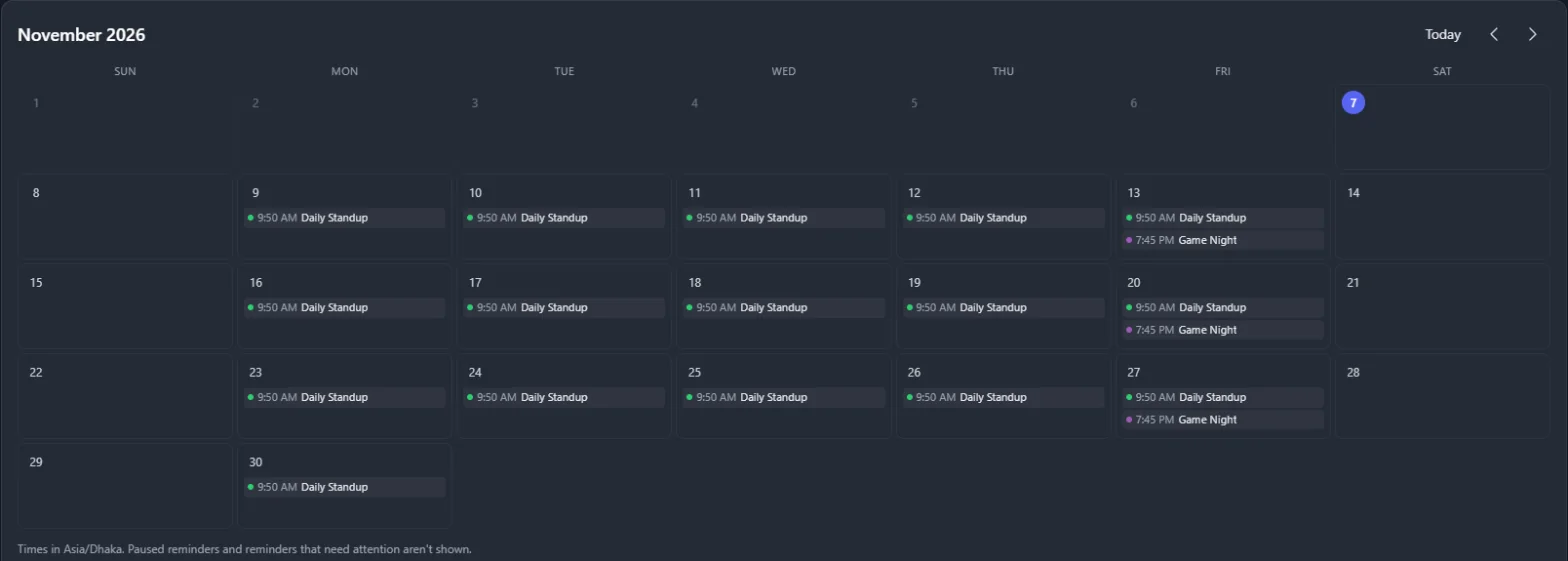
The Calendar view on the dashboard's Reminders page shows every upcoming run for the month, so you can check a repeating schedule at a glance. Here a daily standup skips weekends and a weekly game night runs every Friday:
Change or stop a series
- Change the interval:
/reminder edit, then Edit Interval. - Make it one-time: clear the field in Edit Interval.
- Stop for a while: pause it.
- Stop on a date: set an expiration.
- Stop for good:
/reminder remove.
Questions
Can a free server create recurring reminders?
Yes. Free servers can repeat daily, weekly or on any custom interval between 24 hours and 7 days.
How do I make a reminder repeat every hour?
Set repeat_interval to Custom and custom_interval to 1h. Intervals shorter than 24 hours need premium; the minimum is 30 minutes.
How do I repeat a reminder on the last day of every month?
Create a Monthly reminder on the 31st. In shorter months it runs on the last day.