
Server Timezone
Set and view your Discord server timezone in Reminder Pro, find the right timezone name, and learn how timezones affect reminder times.
On this page
Why the timezone is required
Every clock time you type is read in the server timezone. With Europe/London set, 9am means 9 AM in London. Discord then shows the send time to each member in their own local time, so international servers see the right time automatically.
Until a timezone is set, /reminder add replies with "You need to set the timezone first".
Set the timezone with a command
Command
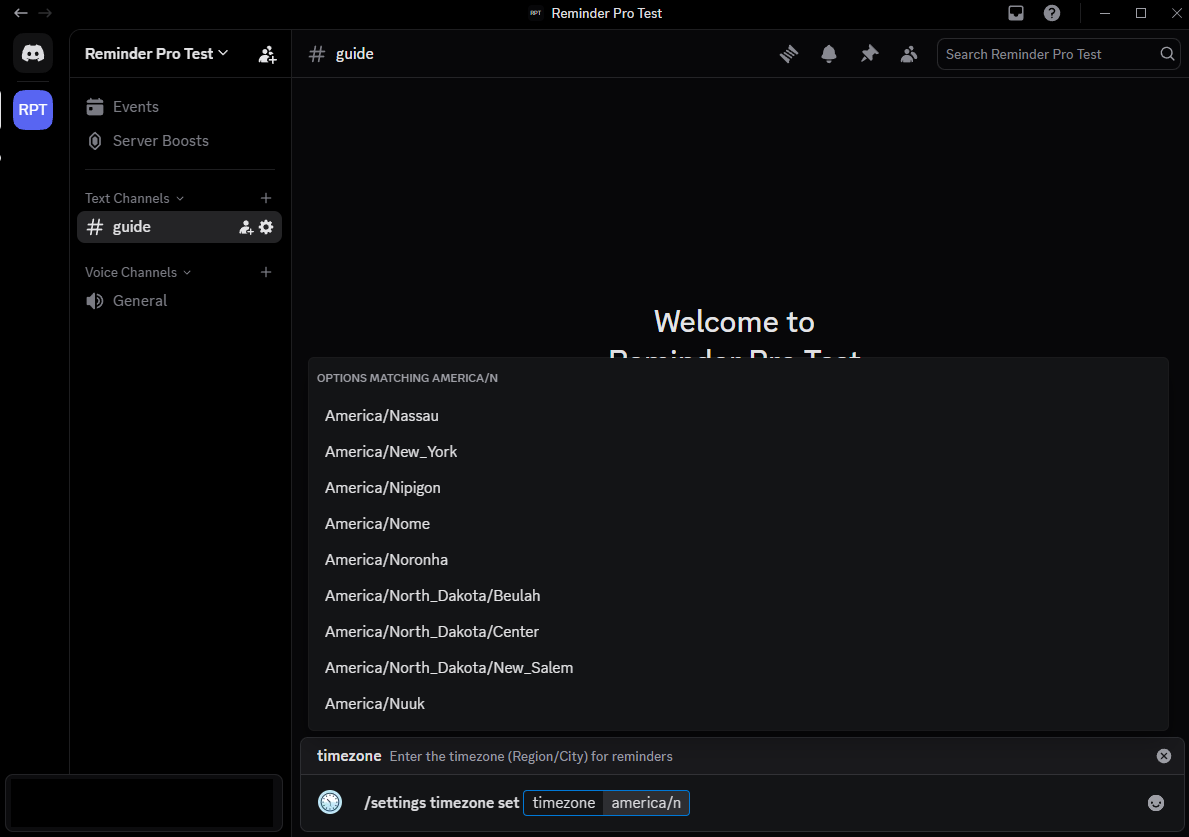
/settings timezone set timezone: Asia/Dhaka
Start typing a city or region and pick one of the suggestions. Any valid IANA timezone name is accepted. You can also search by UTC offset, such as UTC+5:30 or gmt -3.
Set the timezone on the dashboard
- 1Log in to the web dashboard and pick your server.
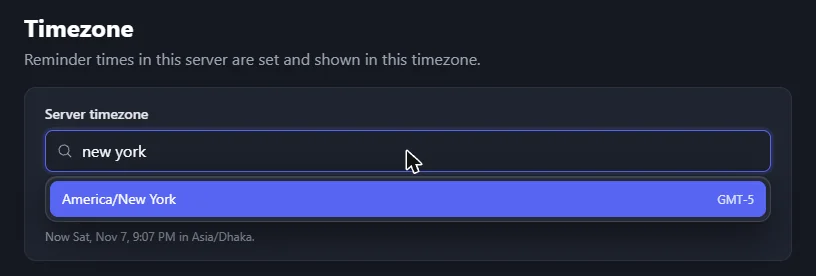
- 2Open Settings > Timezone.
- 3Search for a city or a UTC offset and pick a result. The page shows the current local time there so you can double check it.
- 4Click Save changes in the bar at the bottom of the screen.
Common timezone names
| Region | Timezone name |
|---|---|
| US Eastern (New York, Toronto) | America/New_York |
| US Central (Chicago) | America/Chicago |
| US Mountain (Denver) | America/Denver |
| US Pacific (Los Angeles) | America/Los_Angeles |
| United Kingdom | Europe/London |
| Central Europe (Berlin, Paris) | Europe/Berlin |
| India | Asia/Kolkata |
| Bangladesh | Asia/Dhaka |
| Japan | Asia/Tokyo |
| Eastern Australia (Sydney) | Australia/Sydney |
| Brazil (Sao Paulo) | America/Sao_Paulo |
| Coordinated Universal Time | UTC |
View the current timezone
Command
/settings timezone view
Changing the timezone later
Existing reminders are already scheduled for an exact moment, so changing the timezone does not move them. Only times you type after the change use the new timezone. If you set the wrong timezone at first, fix it and then update existing reminders with Edit Time.
Questions
My members live in different timezones. Which one should I pick?
Pick the timezone you think in when you schedule events. Members always see the send time converted to their own local time in Discord.
Can each reminder have its own timezone?
No. The timezone is set per server. You can still schedule any moment by converting the time, or by using a relative time like 3h.
Who can change the timezone?
Members with Manage Server or a staff role.